
How To Request a Quote from GoldBio


GoldBio offers several ways to request a quote, from emailing in your request, completing a form, or getting an instant quote generated.
Below are the four main ways you can request a quote.
General Quote Requests
To request a general quote from GoldBio is to go to your cart page once your items loaded into the online shopping cart.
On the right side of the page, under the Checkout section are two white buttons. One is Instant Quote. The other is Request a Quote.
Click the Request a Quote button.
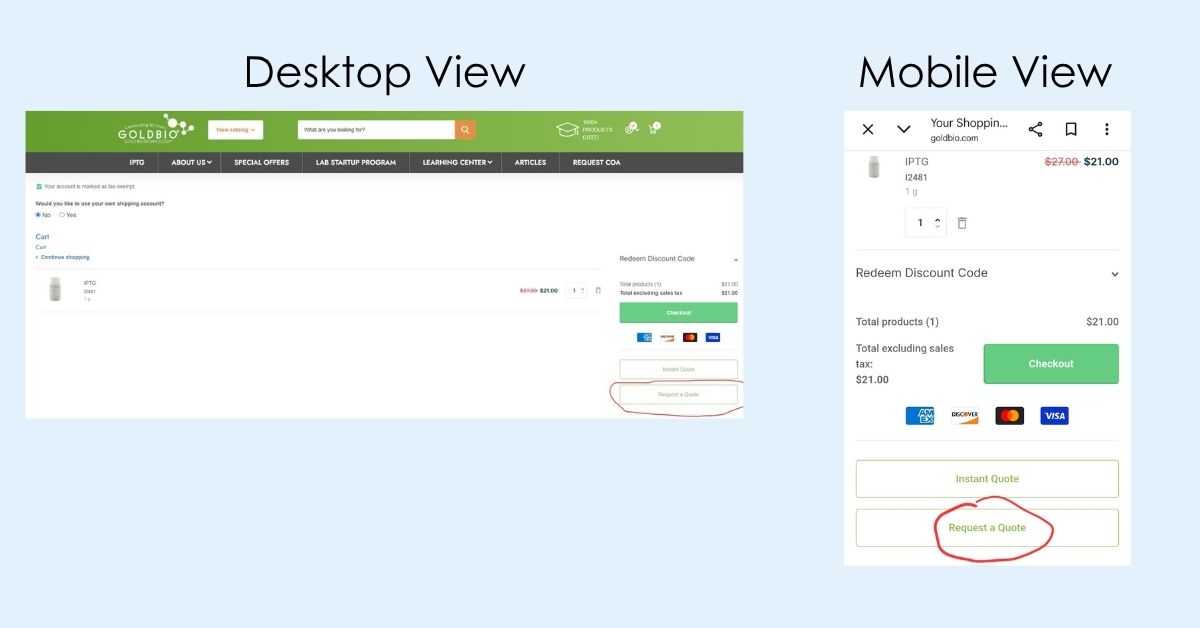
This button takes you to a page that allows you to request a quote for the items within your basket.
Complete the form and hit the submit button.
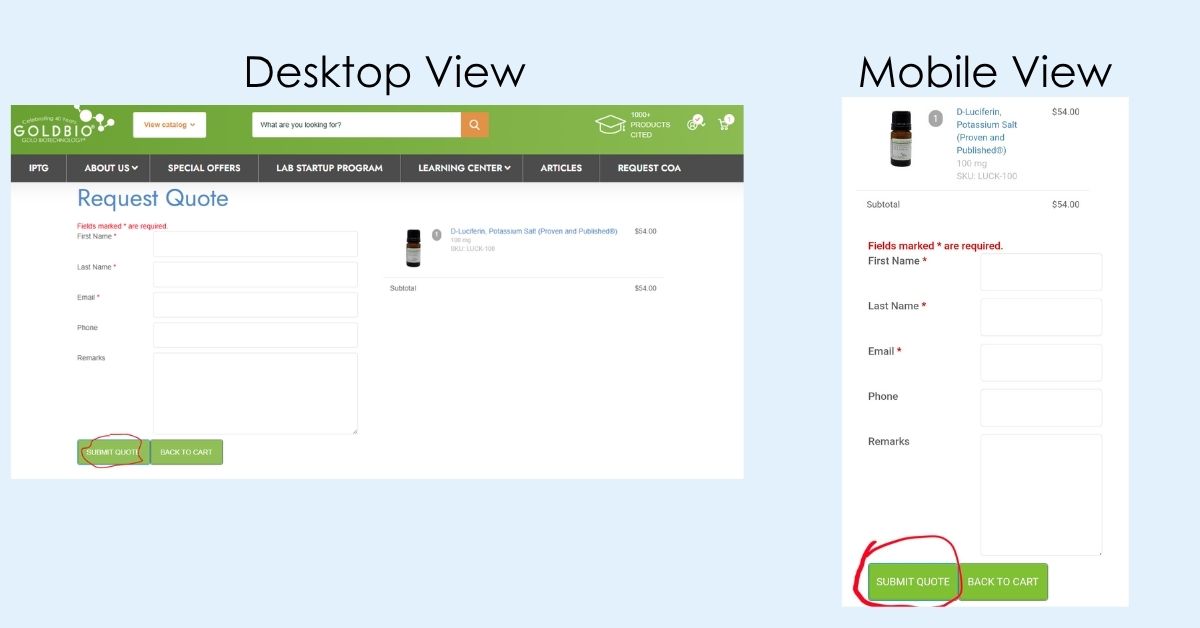
Once you submit a quote request, you will be directed to a page that has your quote number, and you will receive an email that summarizes your request.
After your account manager processes your request, you will get an email notification with your quote.
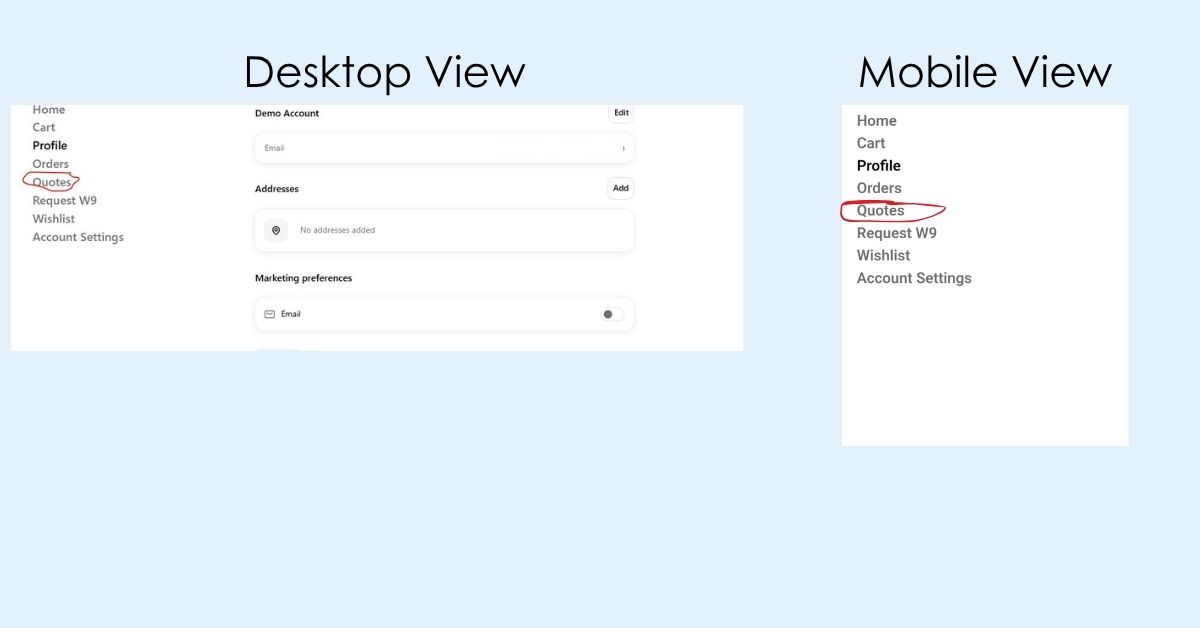
You can also view your quote by logging into your GoldBio account and navigating to your account overview page.
Click the “Quotes” link on the left side of the page. On mobile, once you are on your account page, locate the hamburger menu on the top left side of the page to find the link to the quote page.
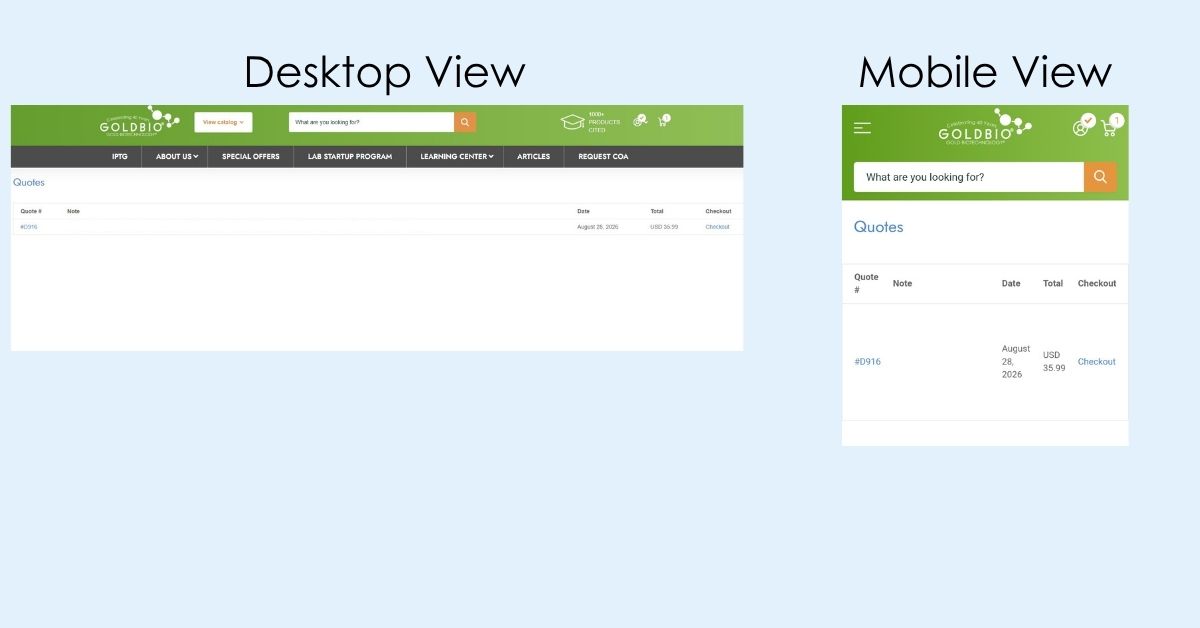
Once you are on the quote page, you will see your recent quote listed. Both the quote number and the “Checkout” text are linked and will navigate you to the checkout page where you can complete your order.
Instant Quote Requests
GoldBio’s instant quotes are set up to immediately produce a formal quote that can be shared with members of your team, purchaser, accounts departments for POs, and more.
To request an instant quote, click the cart icon on the top left of the GoldBio website. Then click “View Cart.”
On the right side of the page, just below the checkout button is a white button for “Instant Quote.” If you are using a mobile device, this button might be stacked underneath the checkout options.
Once you click the button, a box will come up for your email address. Enter your email address and click submit (the mobile view will look very similar).
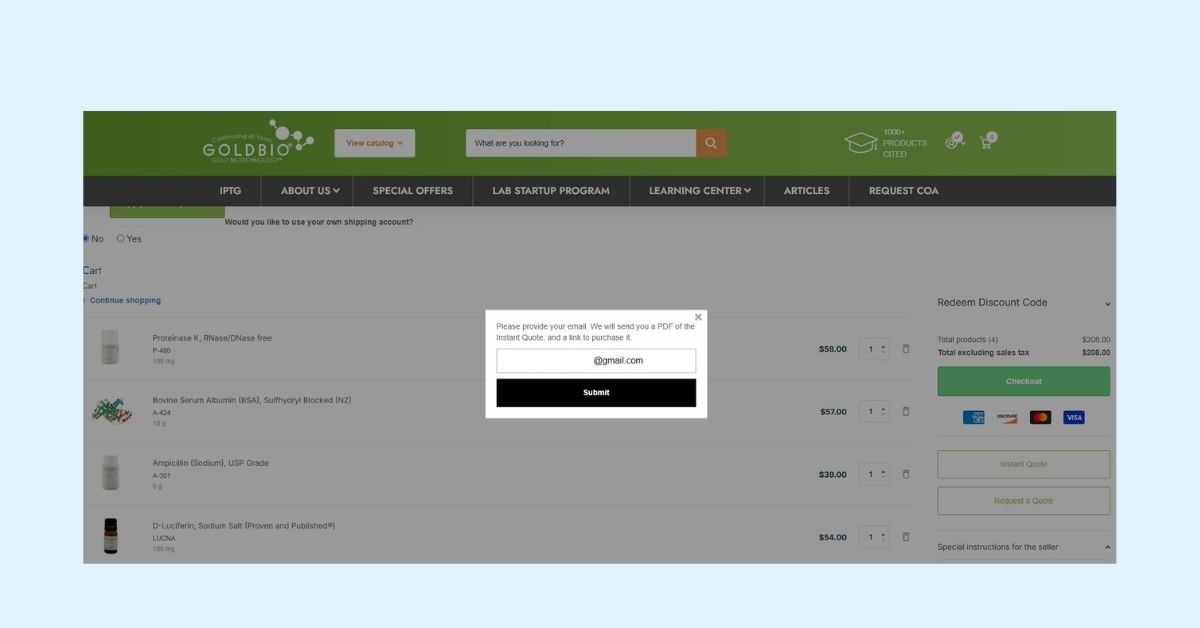
Shortly after submitting your instant quote request, you will receive an email with your quote which includes a PDF and a link to checkout.
Bulk Quote Requests
When you need a quote request for a larger pack size than available on the GoldBio website, or for much larger quantities, you can use the bulk quote request form.
You can find the bulk quote request form by searching “bulk quote” and then click on “pages” just under the search results page header.
Afterward, click on the “Custom Bulk Quote Request” result or click here.
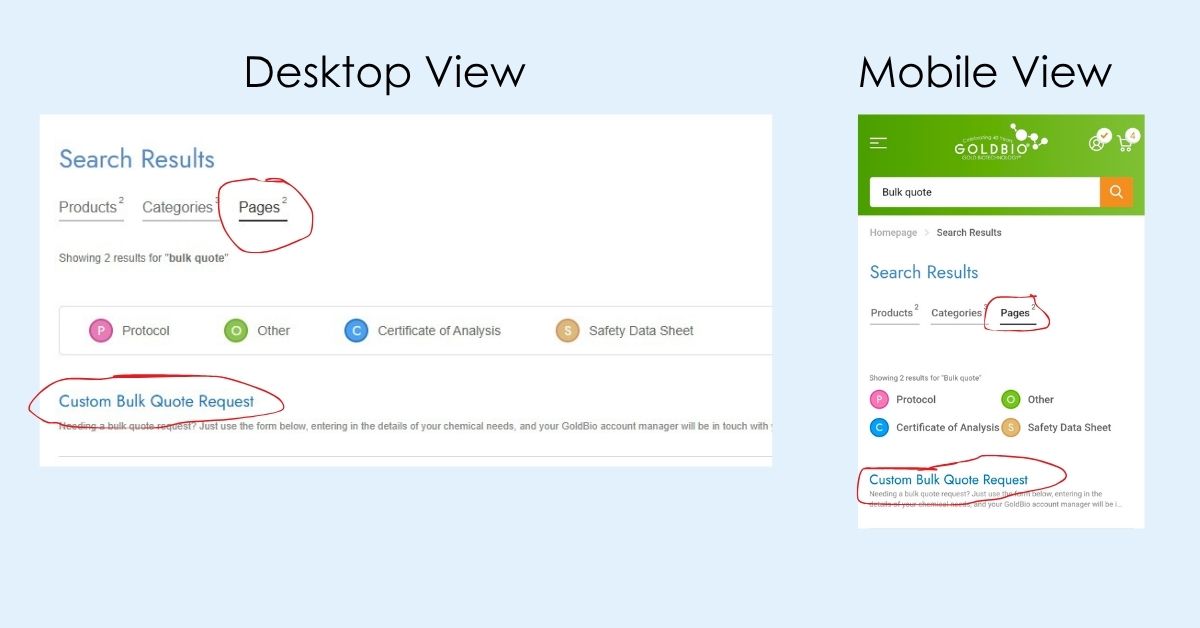
Once on the Custom Bulk Quote Request page, fill out the form.
If you are requesting a quote for more than 5 different products, check off that radio button. Then use the offered template to enter your requested items. Upload your resulting file using the uploader field.
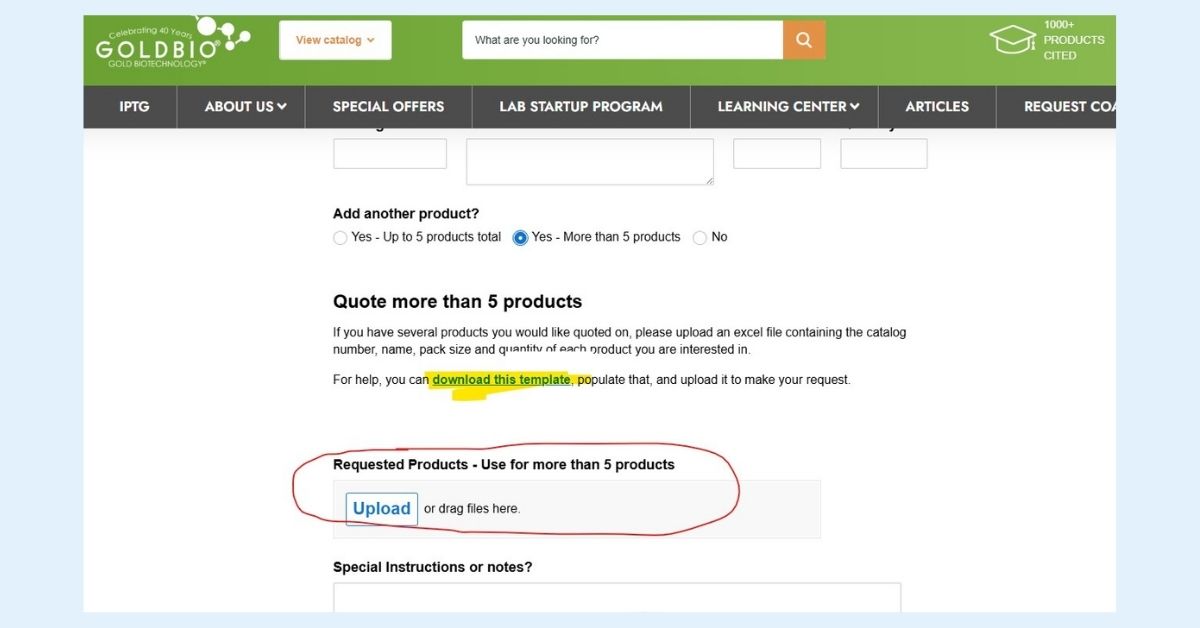
If your quote request is more complex, or the form fields don’t apply, you can use the Special Instructions field to provide more information and details.
After you submit your request, your account manager will email for any extra information and to send your quote.
Because bulk quotes involve larger orders, they won’t appear in your online account. Instead, you will receive your quote by email and can place your order by calling GoldBio or emailing your account manager.
the nature of bulk requests involves larger quantities, your quote will not be visible within your online account. Instead, you will be emailed your quote and can place your order by calling (800) 248-7609 or by emailing your account manager.
Email/Call Quote Requests
While we have several ways to request a quote within the GoldBio website, you can also reach out to request a quote by emailing GoldBio or by calling us at (800) 248-7609.
If you have any questions about an existing quote, our team is happy to help. Just give us a call or reach out to your account manager.


