
How Do I Find My GoldBio Order’s Tracking Information?


If you have a goldbio.com account and placed your order online (as opposed to by phone, fax, or email), you can find your tracking information with your account’s Orders Page.
The Orders Page will show all of your online orders, and you can click into each one for an order summary.
This article provides you with instructions to help you navigate to your orders page on GoldBio’s website and how to locate the tracking number.
Instructions if you are not logged in
To begin, you will need to be logged into GoldBio’s website. To log in, from the homepage (www.goldbio.com) or any page on the GoldBio website, find the “Sign In” button in the upper right section of the website’s header.
Mobile View: On mobile, you may NOT see the word “Sign In” but instead only see the little person-icon. Click that icon to sign in.

Once you click the sign-in button, you will be routed to the sign-in page where you will be asked to enter your email address. Be sure to use the email address that was used to place the order because this is the account where the information will be found. You will also need to have access to this email address.

After you enter your email address, you may be sent a verification code for security purposes. This will be sent to the email address you are using to sign in with. Check your email address for this code and then enter it in the box.
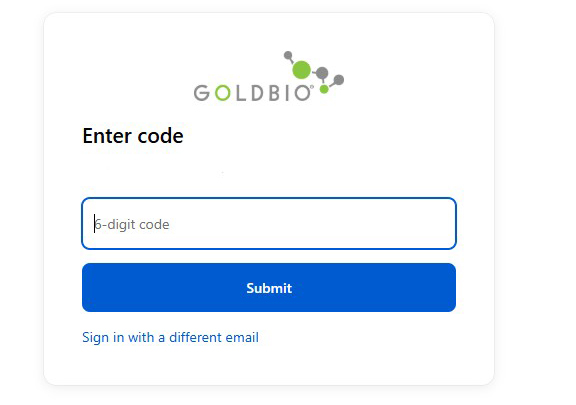
After that, you should now be signed in to your goldbio.com account.
Navigating to your orders page once you are logged in
Once you have signed in, or if you are already signed in, you can easily navigate to the orders page by clicking the account icon in the upper right side of GoldBio’s header. This icon will look like a person. When you click this, a small menu with options will show up. Look for “Orders” and click that menu option.
Mobile View: This icon will look the same on mobile, and the menu will also be available when you click the button.
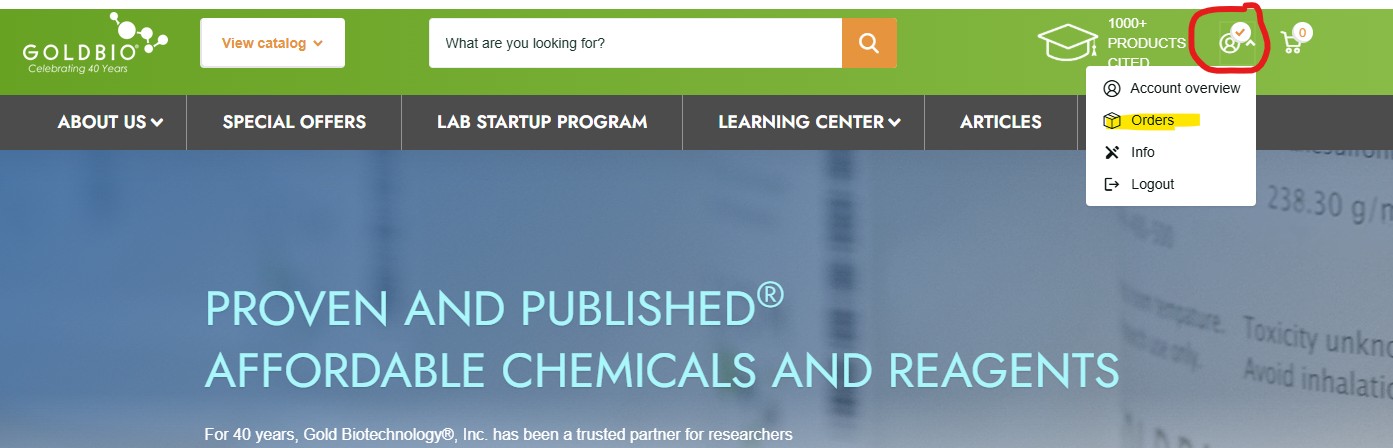
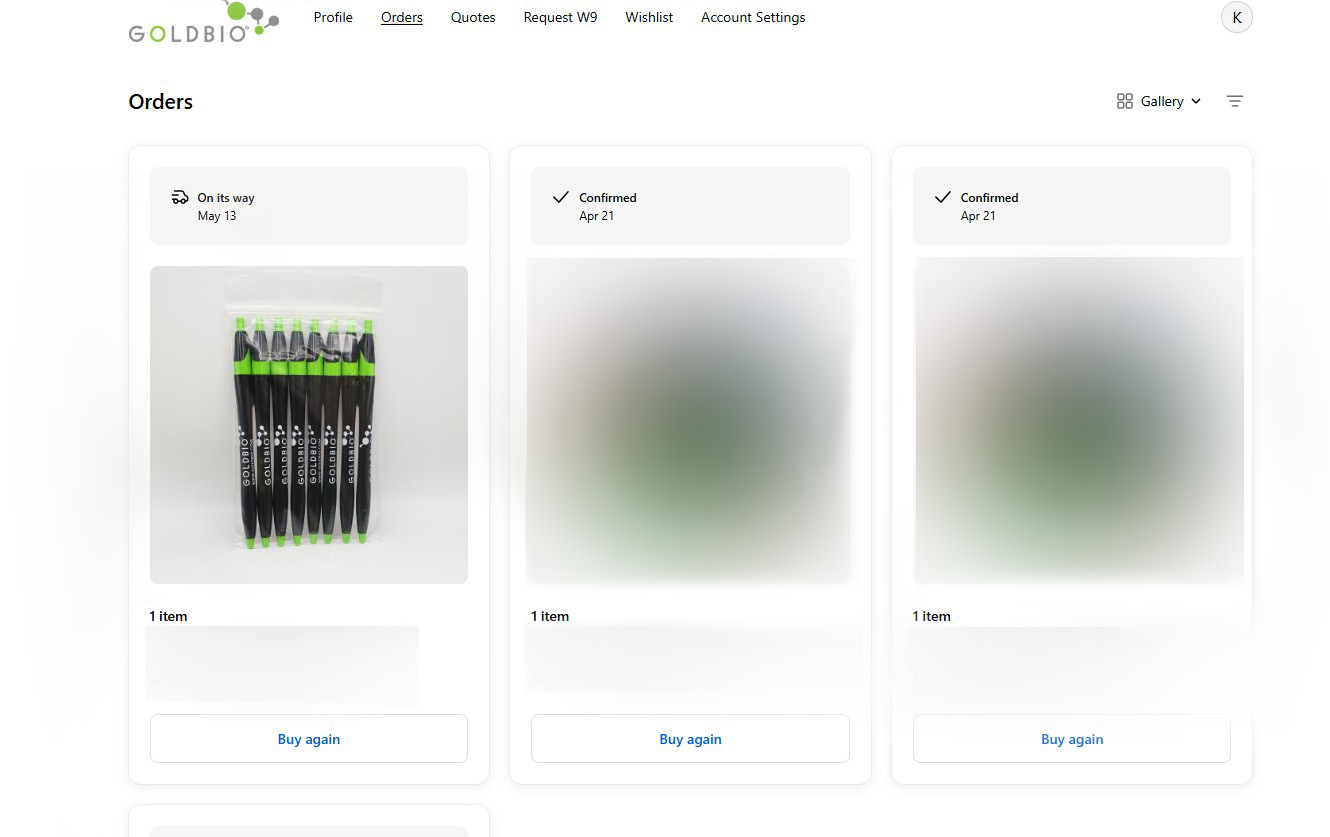
Once you click the “Orders” button, you will be routed to a page that shows all of your online orders. Look for the order you are interested in finding tracking information for and click the tile.
Mobile View: On mobile, the order gallery will be stacked rather than appearing in rows. Scroll or swipe vertically to find the order of interest.
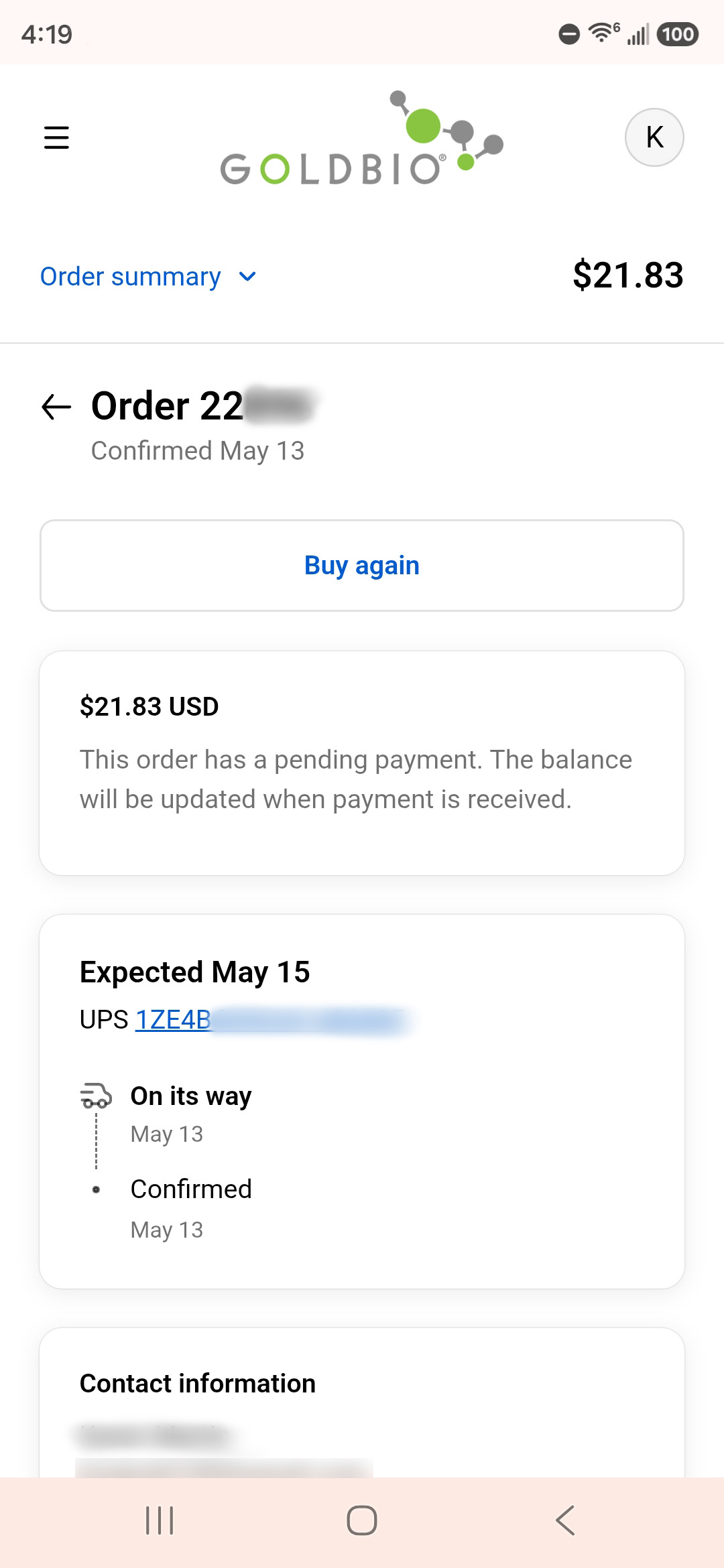
Once you click on your order of interest, you will be taken to your order’s summary page. If the order has been processed and shipped, the tracking code will be in the first box that shows just below the order number and confirmation date.
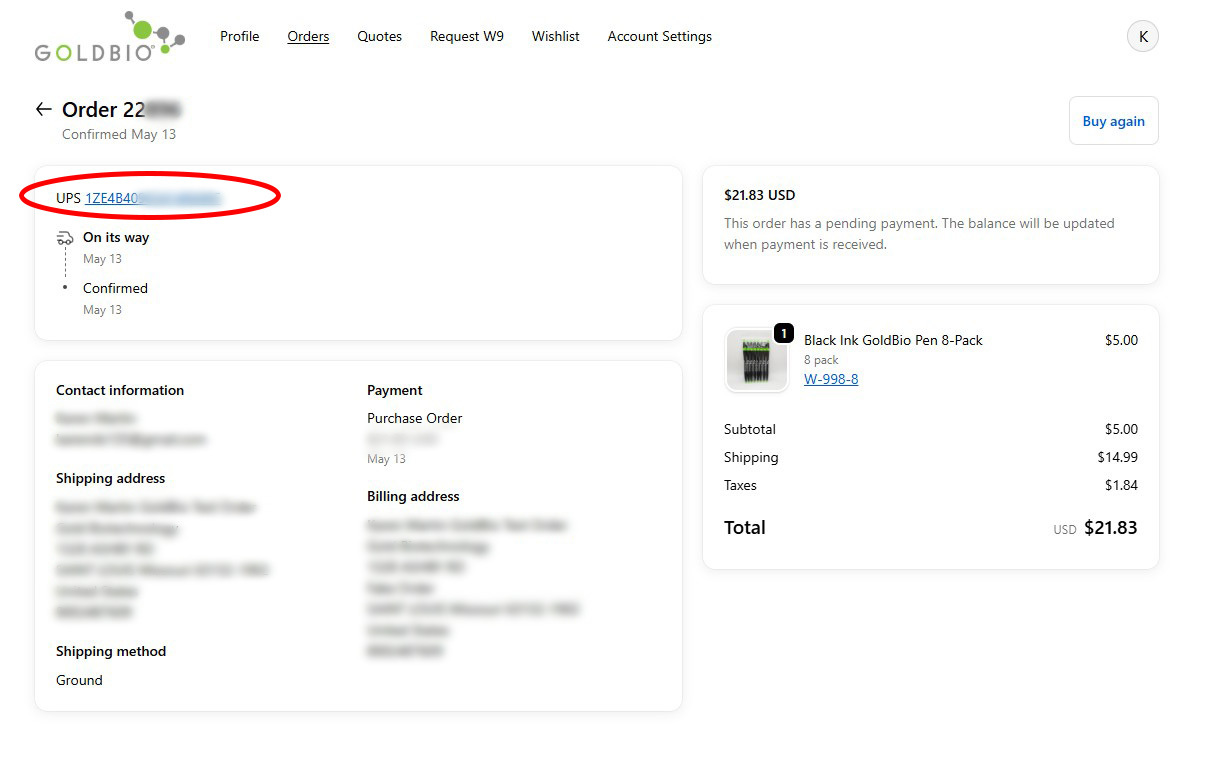
The tracking code is linked so that you can click on it to get more information about when your order will arrive.
Mobile View: The location of your tracking information shows up in a slightly different spot on a mobile device. If shipping and tracking information is available, it will appear in a box below the order’s total. The tracking number is linked and clickable.
What if I don’t see the tracking information in my order?
One of the reasons you may not yet be seeing your order’s tracking information in the order summary page is because it may not have been processed yet.
If you are checking the order on the same day you placed the order, the tracking information might not be available just yet. Try checking at the end of the day to see if your order has processed and the information on the summary page is updated. If you placed the order closer to the end of the day (After 3:15 Central Time), check again at the end of the next business day.
If you placed your order on a weekend (Friday-Sunday) or during a holiday or possibly when there is inclement weather, the order will be processed on the next business day. Until then, tracking information may not be available.
It is possible that some or all of the items in your order are on backorder. When this happens, an email is sent to the email address attached to the order. You can check your email to see if you had any notification about the order of interest.
One way to know for sure about the status of your order is to contact GoldBio directly.
Contact GoldBio by:
- Calling our toll-free number (800) 248-7609
- Visiting our Live Chat to chat with a real person. The live chat button is located in the bottom right corner of the website in a green bubble with a message icon.
- Send an email to contactgoldbio86@goldbio.com
Why don’t I see my order in the order page of my GoldBio account?
One reason you might not be seeing the order of interest in your account is because the order was placed in another account (with a different email address). Make sure you are logging into the GoldBio account that is attached to the order.
If you do not see your order, and you need to find out shipping or tracking information, you can contact GoldBio in the following ways:
- Call our toll-free number (800)-248-7609
- Visit our Live Chat to chat with a real person. The live chat button is located in the bottom right corner of the website in a green bubble with a message icon.
- Send an email to contactgoldbio86@goldbio.com


