
How to Find Protocols on the GoldBio Website


GoldBio has a lot of protocols on its website, including stock solution recipes and more detailed material. While we like to think that finding protocols on our website is easy, that isn’t always the case. So, this article takes you through the three places you can find GoldBio protocols.
GoldBio protocols can be found on our website in three places. The first place is on product pages, where relevant protocols and other documentation will appear. The second is by using our search bar. The third place is on our technical resources page.
Sometimes a Google search will also bring up our protocols, but you would have to be very specific and note “GoldBio” in that search. Instead, knowing how to find them on our website will save you the most time.
How to find protocols on the product page
If you are interested in a protocol that relates to a specific product or a method where that product is involved, the quickest way to check for a protocol is to visit the protocol page.
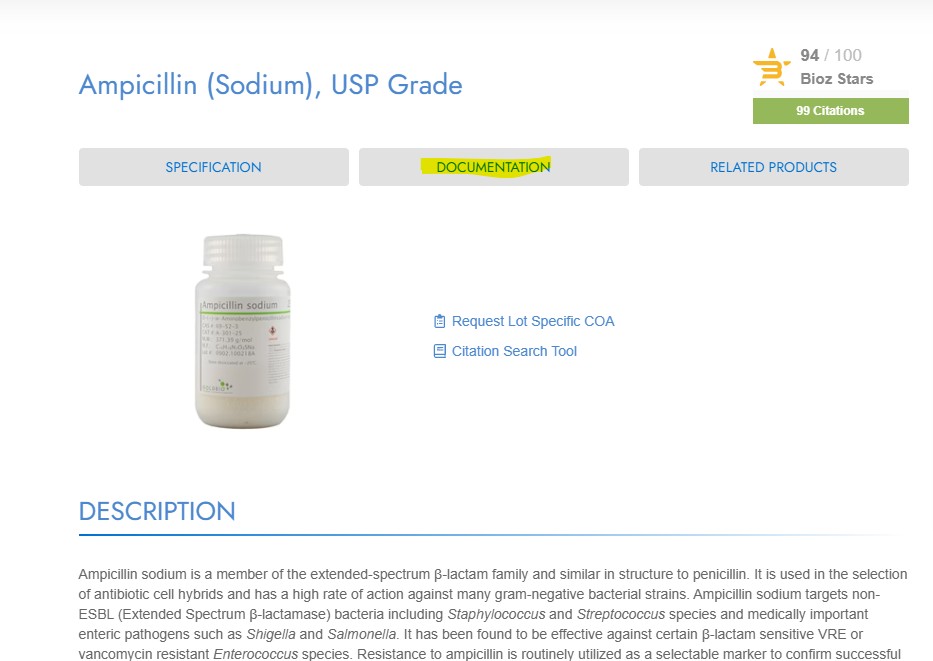
For example, let’s say you’re looking for an antibiotic testing protocol for the ampicillin sodium you ordered. You can go to the ampicillin product page by typing the name or catalog number in the search box. Then select the product you’re searching for and click the link.

In the product page, you can either click the gray “Documentation” tab at the top (above the product’s photo and just below the product name). Or you can scroll down. Clicking the documentation tab, however, will scroll you down to exactly where the protocols and other related documents are.
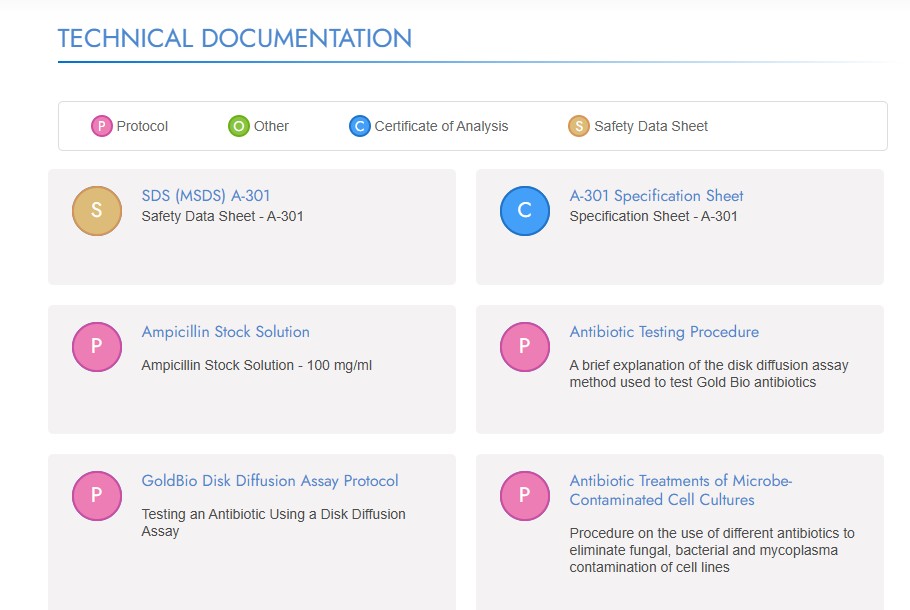
Once you are in the documentation section, you will notice a few boxes with lettered icons next to them.
- The pink icon marked “P” represents your relevant protocols and stock solutions.
- The orange icon marked “S” represents the product’s SDS.
- The blue icon marked “C” represents a specification sheet or a representative COA.
- The green icon marked “O” represents other relevant documents such as printables, e-books, guides charts, tables and other items.
This icon system is consistent throughout the GoldBio website.
From this section, you can look for your desired protocol and click the link to open it up, download it or print it.
How to find protocols using the search bar
The next easy way to find protocols on the GoldbBio website is to just do a basic search using our search bar.
Type in a keyword. That keyword could be as simple as a product name “ampicillin,” or part of the protocol title “antibiotic test”, or you if you know the specific protocol name you are looking for, you can type that in.
Our recommendation, when you don’t know the exact protocol name, is to be in the middle of being very specific and very vague. For instance, if you type in “stock solution,” you’re going to get an overwhelming number of results. But if you type in “ampicillin stock solution” you should get relevant results.

Being too specific can sometimes prevent you from getting any relevant results. For instance, if you type in “ampicillin stock solution recipe,” it may not pull the stock solution protocol up for you. In this case, try to change your search phrase. It is also possible that you are searching for a protocol that we just don’t have available.
From the search results page, you will first still products. This is because the search results page shows the product results first by default.
Click on “Pages” which is found just under the page header titled “Search Results.”
 /p>
/p>
On the Page search results page, you may see several results, including documentation, articles, related pages (which usually won’t have a picture or icon), and protocols.
The Page results use the same icon structure as the product page so that protocols will have a pink P icon next to the result.
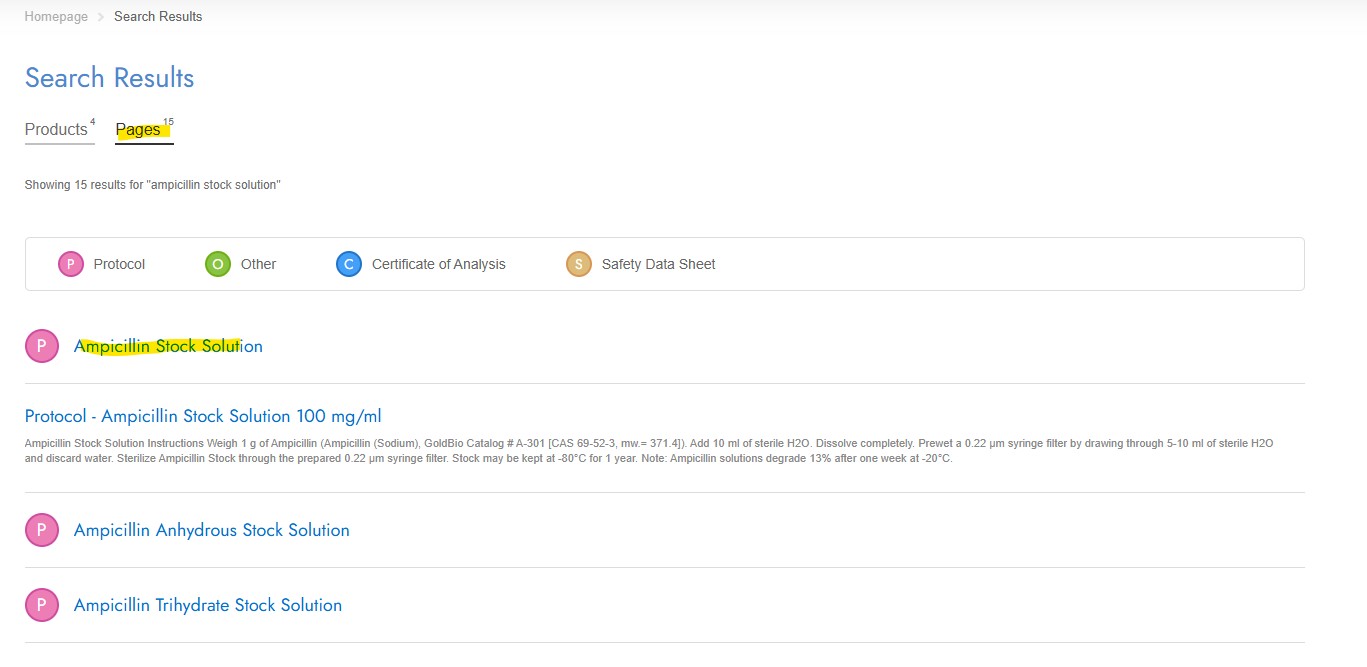
Related articles will usually have a picture next to the result. And related pages will just list the page title with no icon or photograph.
Scroll this page to see if you can find the protocol you are looking for. Then click on the protocol to view and download.
How to find protocols on the Technical Resources page
The last method in finding protocols is using our technical resources page. This method is more appropriate when you don’t know the exact name of the protocol you are searching for, but it is something more technical and you want to see if we have it.
To access the technical resources page, you can type in goldbio.com/pages/technical-resources or you can type “technical resource” on the search bar. From the search results page, tab over to “Pages” and look for the page titled “Technical Resources.”
The technical resources page has groups of resources like all of our protocols, stock solutions and then smaller groups like antibiotic stock solutions, popular buffer stock solutions and more.
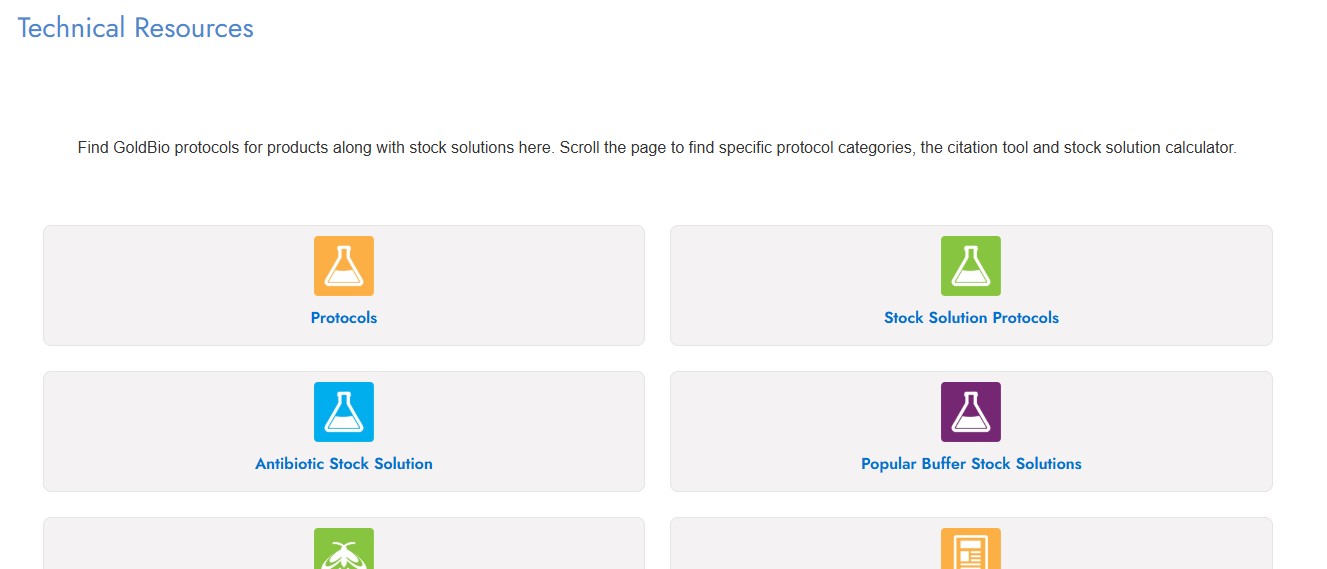
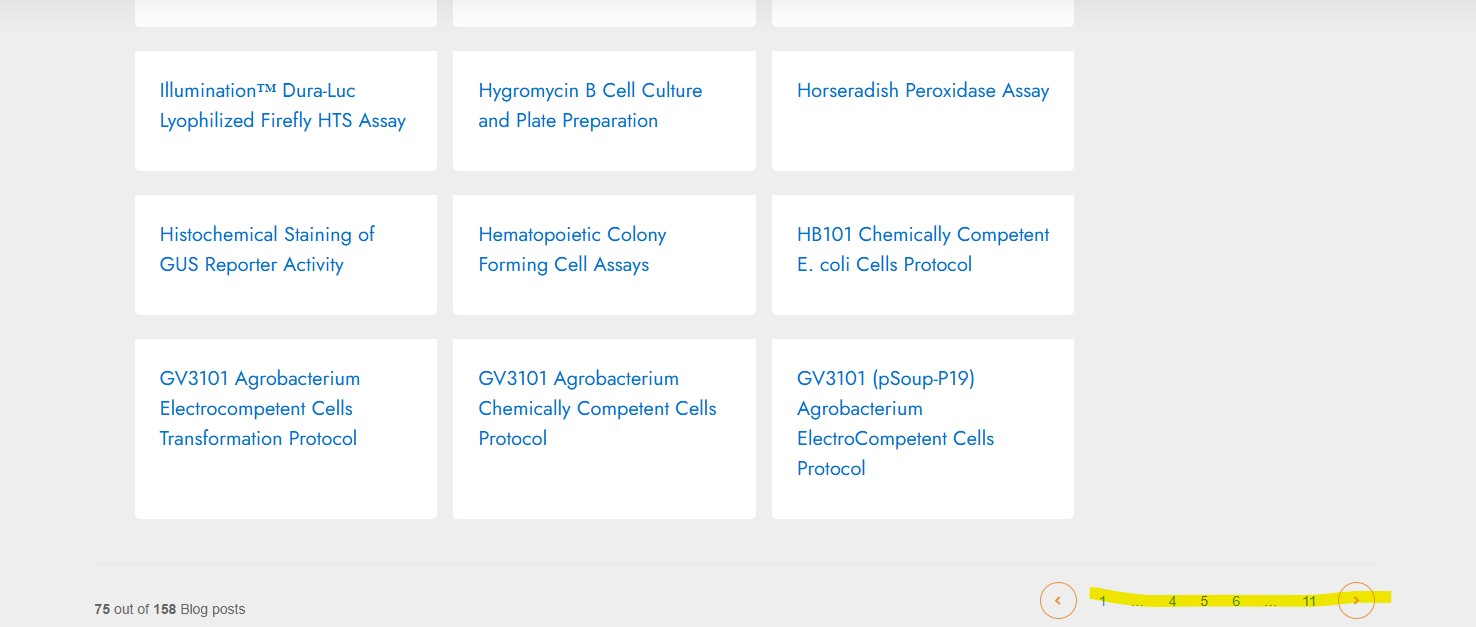
If you are looking for a more technical protocol, it’s best to try the protocol group. This, however, is going to give you everything, and there isn’t a way to filter the results, unfortunately. However, the results are listed in reverse alphabetical order.

So, if you were looking for a Horseradish Peroxidase protocol, you can use the navigation and paging arrows at the bottom of the page to page to the H section.
The same approach can be used for any of the other protocol groupings.
FAQs
Do I have to be logged in to find protocols?
No. You can use these three approaches to finding our protocols without having to be logged in at all. GoldBio’s protocols are readily available.
Do I have to give you my email address to access your protocols?
No. GoldBio’s protocols are not gated behind an email wall. Other content such as e-Books and other booklets require us to send the file via email. But general protocols are readily available.
Can I save my favorite protocols to my account?
As of right now, this is not a feature that is available, but we would like for it to one day be. If you would like to request this, please visit our contact page and share your feedback. If enough people make requests, we will look into finding a way to implement this suggestion.


