
How to Find the SDS (Safety Data Sheet) for a GoldBio Product


If an SDS (safety data sheet) for a GoldBio product is available, you can easily find it by visiting the product page and scrolling down to the documentation section (or by clicking the documentation tab). A link to the SDS will be there if it is available.
Here, we will take you through navigating to the SDS step-by-step with visuals to make it even easier.
Step-by-step instructions with images
- Go to the product page of interest.
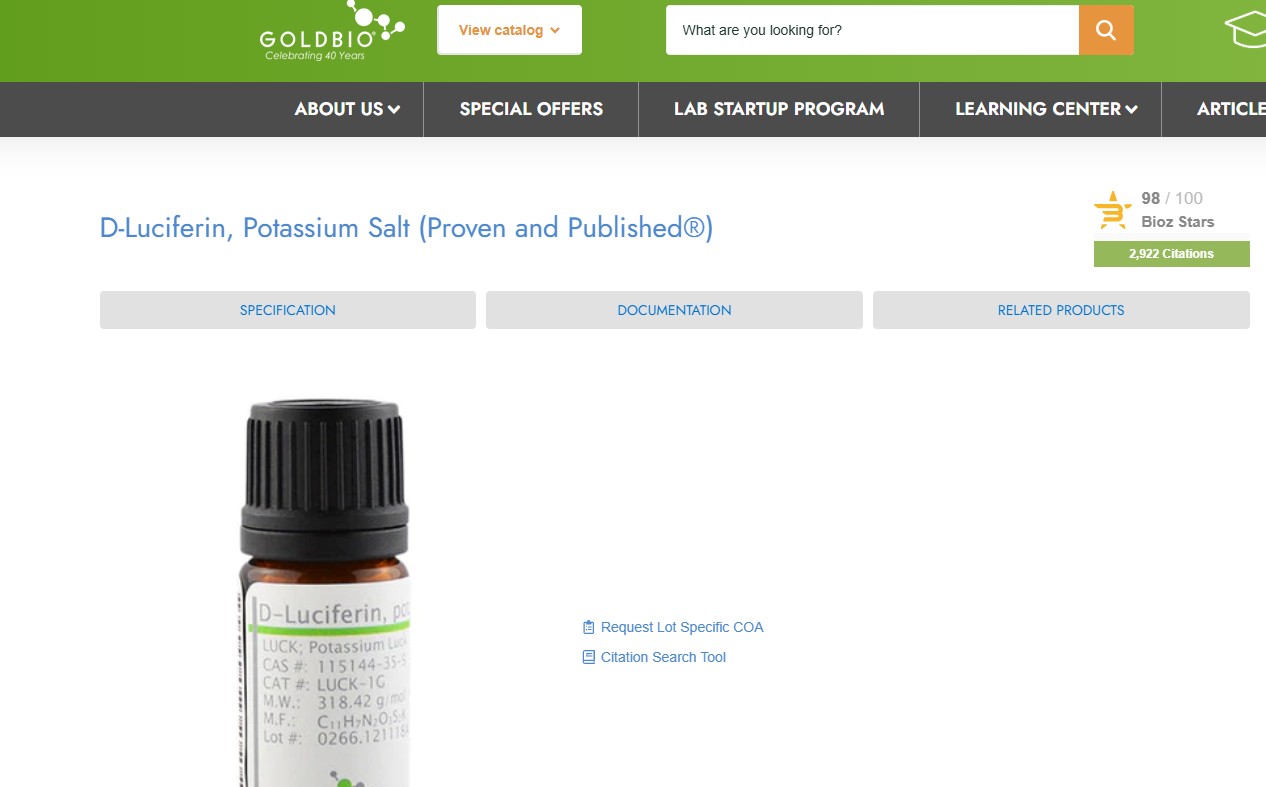
2. Either click on the documentation tab at the top or scroll down to the documentation section of the page.

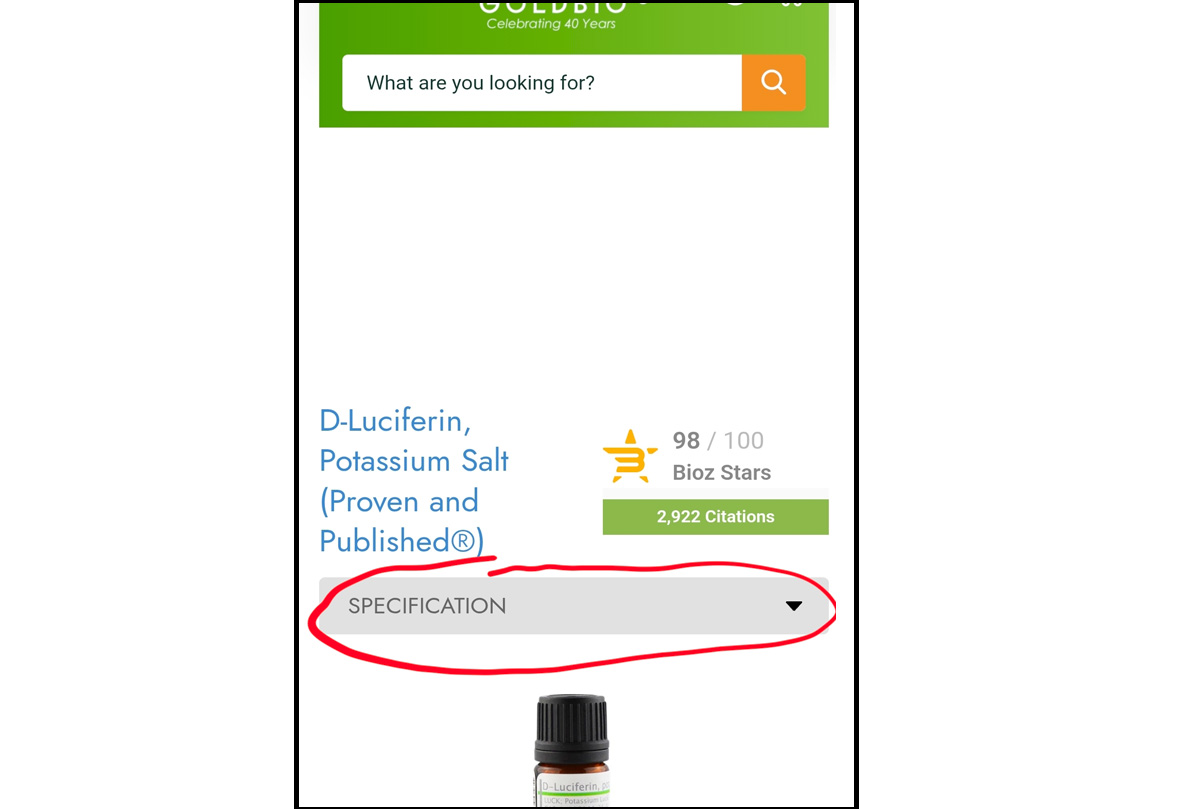
Mobile View:
On your mobile device, you will see a drop-down box just under the product name instead. Click on that, and then select “documentation” to immediately scroll to the documentation section.
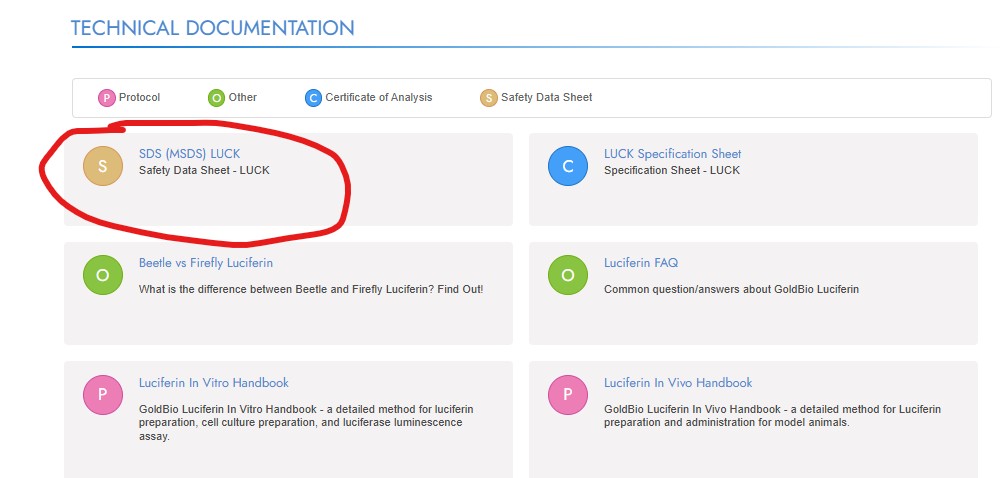
3. Once you are at the documentation section, look for the SDS documentation link. It will be marked by an orange circle with an S in the middle, and it is usually one of the top-most documents listed.
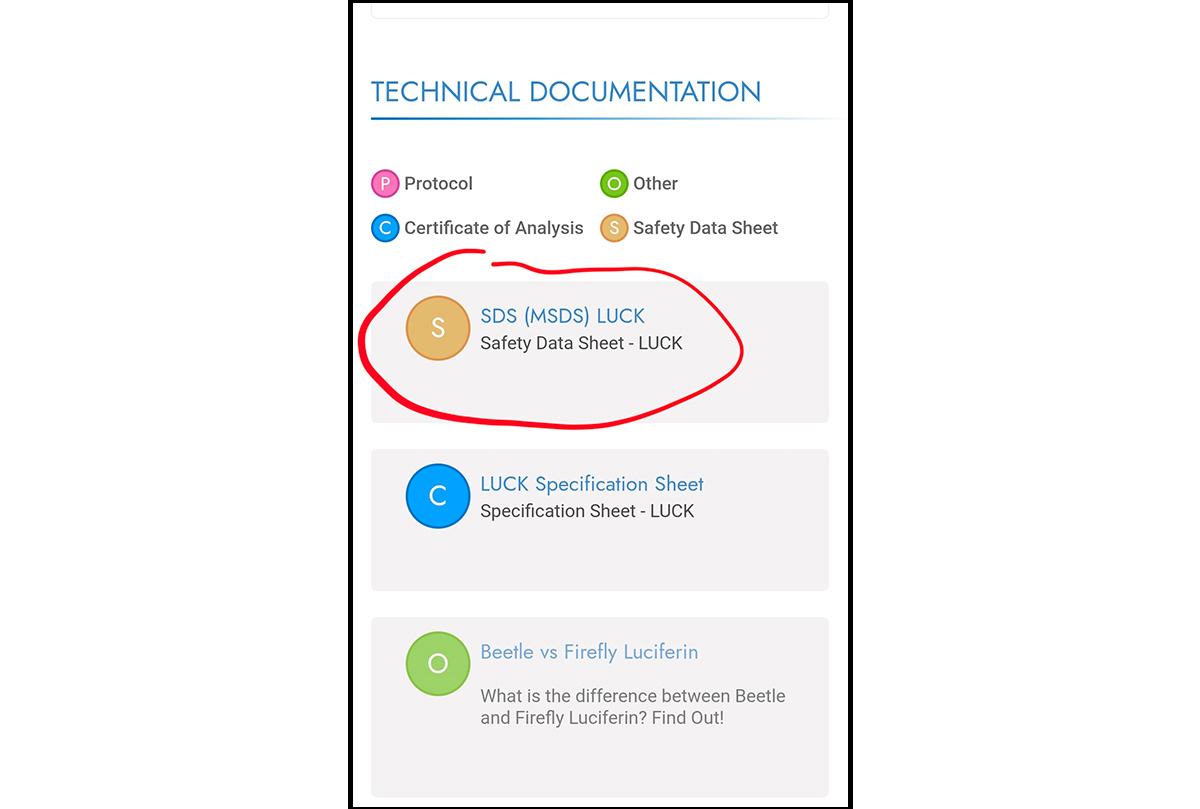
Mobile View:
On your mobile device, the documents will be in a stacked view rather than in two columns. The SDS should be one of the top-most options. Scroll until you see it. You will still see an orange circle with an S to mark the product’s SDS.
4. Click the link, and it will open a PDF of the SDS (Safety Data Sheet). You can print, download or share this document.


